A CapCut Alternative for Editing Short Videos
CapCut is a powerful editor, but you do everything by hand: cut pauses on the timeline, check auto-captions, pick transitions and sounds. If you shoot talking-head videos for Reels, TikTok and Shorts, AI can do most of that work for you — right in Telegram, with no app to install.
CapCut vs UNIQ: what's the difference
| CapCut | UNIQ (a Telegram bot) | |
|---|---|---|
| How you edit | Manually on a timeline, with some separate AI features | Automatically: AI assembles the video, you choose the look step by step |
| Pauses and bad takes | Silence removal; bad takes by hand | Cut automatically, the best take is kept |
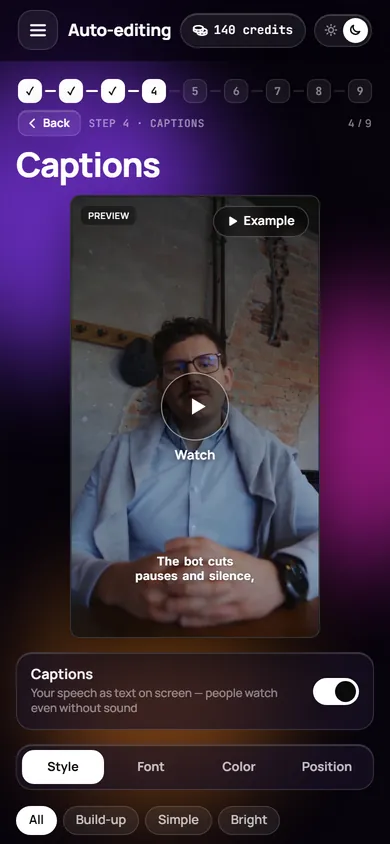
| Captions | Auto-captions, you style them yourself | Word by word, styled from the start; dynamic or calm |
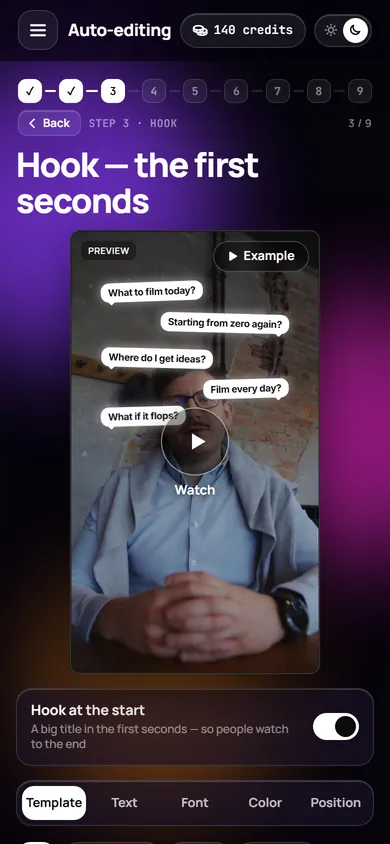
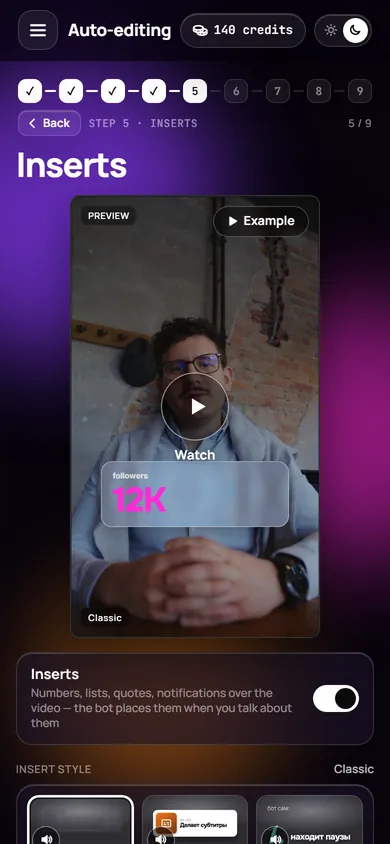
| Hook, inserts, sounds | You find and add them yourself | Based on what you say: a hook, counters, lists, a "Follow" badge, sounds |
| Installation | A phone app or desktop program | Nothing to install: works in Telegram and in the browser |
| Load on your device | Rendering on your phone or computer | The video is rendered on our server |
| Payment | Pro subscription | Packs of edits in rubles, no subscription |
| Freedom | Any kind of editing: music clips, effects, complex cuts | Talking-to-camera videos + separate tools |
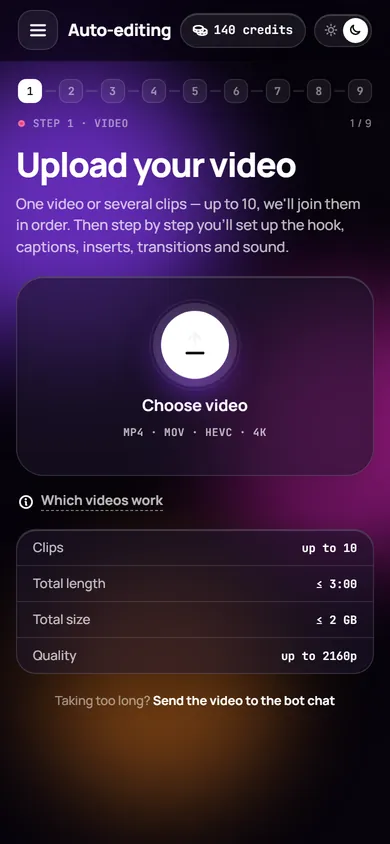
How it looks in the mini app
When to choose CapCut and when UNIQ
- Choose CapCut if you edit music clips, travel videos, complex transitions and frame-by-frame effects — that needs a manual timeline.
- Choose UNIQ if you shoot expert videos, tips, reviews and sales videos where you talk to the camera, and want a finished video in a couple of minutes, not an hour.
- Many people use both: a rough cut of the talking head in the bot, the finishing touches in an editor.
What else the bot can do
Besides AI editing, there's a set of tools for things you'd otherwise do by hand in an editor:
- merge videos — up to 10 clips into one;
- video to circle for Telegram;
- horizontal to vertical video in 9:16;
- video background removal, speed, stabilization, audio cleanup;
- a cover from the best frame.
How to try it
- Open the bot in Telegram and tap "Editing".
- Upload a recording where you talk to the camera — as one file or several clips, up to 3 minutes.
- Go through the steps: cuts, hook, captions, inserts, transitions, camera, effects, sound — the preview shows the result instantly.
- Tap "Create video" — the finished video arrives in the chat.
FAQ
Is this a free CapCut alternative?
Your first edit is free (with a UNIQ watermark). After that, packs of edits in rubles, from 20 credits per video, with no subscription.
Is there a CapCut alternative for Android and iPhone?
The bot works in Telegram on Android and iPhone, and in the browser on a computer — no separate app to install.
Can I edit frame by frame, like in CapCut?
No, there's no manual timeline. The bot automates editing of videos with speech: it's faster, but gives you less freedom than an editor.
Will it work for Reels, TikTok and Shorts?
Yes, the video comes in vertical 9:16 format. Learn more: Reels editing, TikTok video editing, Shorts editing.