Edit Video on Your Phone
Editing on your phone by hand takes ages: trimming the timeline with your finger, typing captions, hunting for sounds. In the bot, AI does all of it — you upload your footage, choose the look step by step and get a finished video. Nothing to download: the mini app opens right inside Telegram, on iPhone and Android.
Mobile editors vs editing in the bot
CapCut, InShot, VN and similar apps are manual editors: you trim the timeline and place text and sounds yourself. The bot works differently — AI does the editing.
| CapCut, InShot, VN | Editing in the UNIQ bot | |
|---|---|---|
| Installation | Download an app, use up storage | Nothing to install — works in Telegram |
| Pauses and bad takes | Trim the timeline by hand | Cut automatically |
| Captions | Transcribe and fix by hand | Word by word, styled right away |
| Load on your phone | Exporting heats up and drains the phone | The video is rendered on our server |
| Time | Half an hour or more per video | A couple of minutes |
When to choose which
- A manual editor — if you edit clips to music, travel videos, or complex frame-by-frame transitions.
- The bot — if you talk to the camera and want a finished video with captions and a hook in a couple of minutes, without sitting over a timeline. For a detailed comparison, see CapCut alternative.
How it looks in the mini app
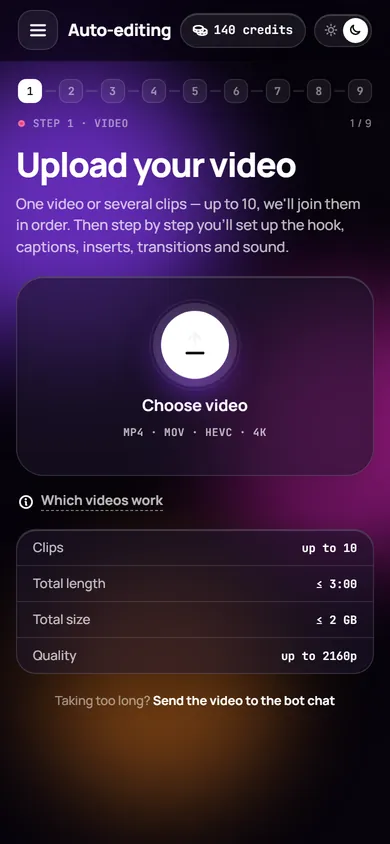
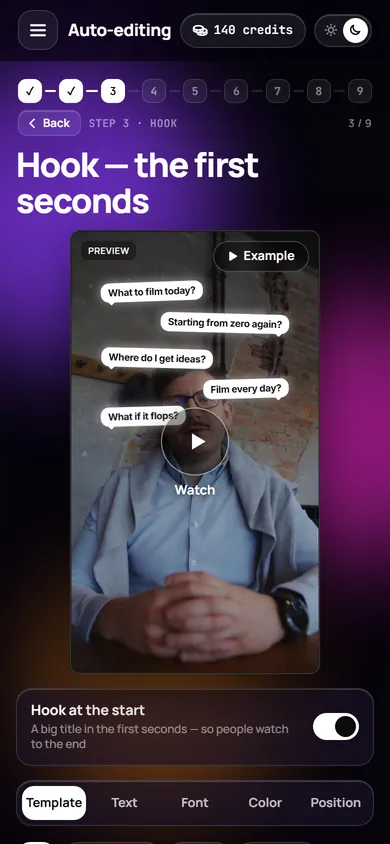
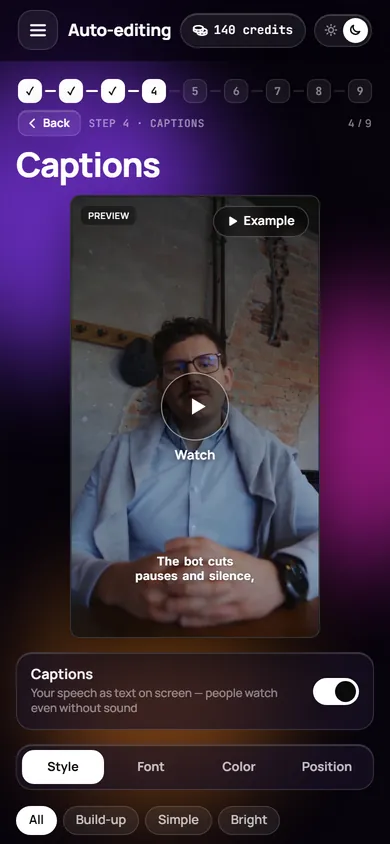
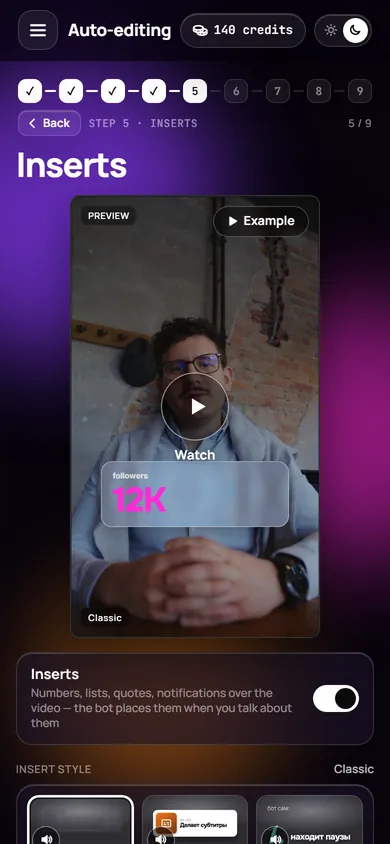
What the bot does
- Cuts pauses, slips and failed takes — only clean speech stays.
- Joins several clips into one video.
- Adds a hook in the first seconds and word-by-word captions.
- Adds inserts that match what you say, transitions, camera motion, effects and sounds.
- Delivers a vertical 9:16 video for Reels, TikTok, Shorts and VK Clips.
How to edit a video on iPhone or Android
- Open the bot in Telegram and tap "Editing" — the mini app opens full screen.
- Upload a video from your gallery: a single take or several clips, up to 3 minutes of source footage.
- Choose a hook, captions, inserts, transitions, camera, effects and sound — the preview shows the result right on your phone screen.
- Tap "Edit". While the video renders, you can lock your phone — the finished video will arrive in your chat with the bot.
- Save it to your gallery and post it.
Editing videos on iPhone
On iPhone, the bot works in the Telegram app: you upload videos straight from Photos. HEVC recordings (the iPhone's default format) and 4K footage work as is — no need to convert anything. Save the finished video to Photos from your chat with the bot: tap the video → "Save".
Editing videos on Android
On Android it works the same way — through the Telegram app, picking the video from your gallery or Files. Older and budget phones work too: the video is rendered on our server, so your phone doesn't heat up or slow down. Save the finished video to your gallery from the chat: video menu → "Save to gallery".
Tips for shooting on a phone
- Use the main (rear) camera instead of the front one when you can — the quality is noticeably better.
- Use a lavalier mic or record in a quiet room: the cleaner the audio, the more accurate the captions and cuts.
- Hold the phone vertically at eye level; a tripod or a stack of books beats holding it by hand. For shaky footage there's video stabilization.
- Don't worry about mistakes: just say the line again — the bot will keep the best take.
For more shooting tips, read "How to Shoot Reels".
Pricing
Editing one video costs 20 credits (a single edit is 149 ₽, in packs from 80 ₽ per video). If an edit fails because of an error, your credits are refunded automatically.
FAQ
Does it work on iPhone?
Yes, the bot works in Telegram on both iPhone and Android — all you need is Telegram itself.
Do I need to download a video editing app?
No. The mini app opens inside Telegram, and nothing gets installed on your phone.
Will the quality suffer?
No, the bot keeps the quality of your source video. Upload videos from your gallery rather than ones forwarded through a messenger — that way they won't be compressed beforehand.
Can I edit from a computer?
Yes, the same bot works in Telegram on desktop and in the browser.
Can I try it for free?
Yes: your first edit is free (with a UNIQ watermark).