Reels Editing: AI Auto-Edit for Instagram Reels
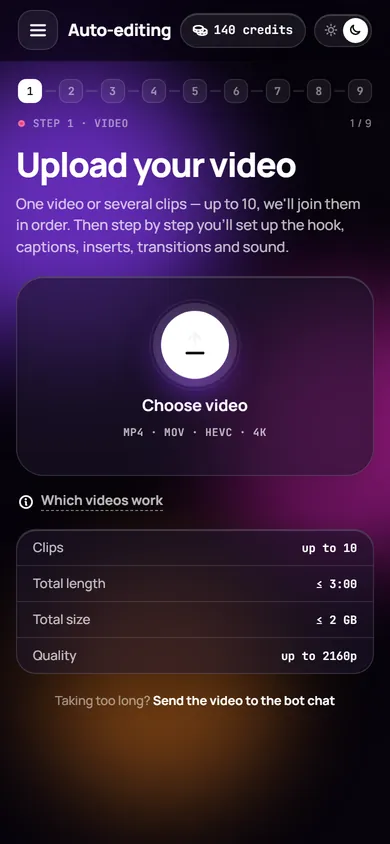
Shot a Reel on your phone? The bot will edit it for you: it cuts pauses and bad takes, adds captions and a hook, and puts in inserts, transitions and sound effects. You get a finished vertical video for Instagram Reels that's ready to post.
What your Reel gets
- A tight pace. Pauses, "umms" and failed takes are cut automatically — on Reels, viewers scroll on the moment there's dead air.
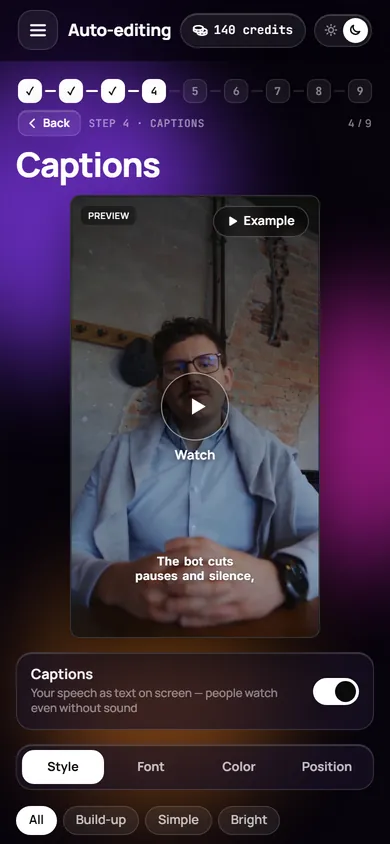
- Captions like in popular Reels. Most Reels are watched on mute, so captions appear word by word with key words highlighted. Choose dynamic captions or calm single-line ones.
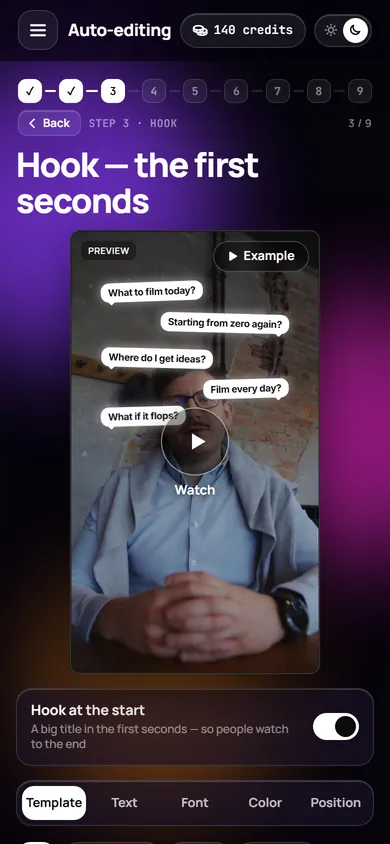
- A hook in the first seconds. Your first line appears large on screen — the main way to stop viewers in the Reels feed. Learn more about types of hooks in our article "Hooks for Reels".
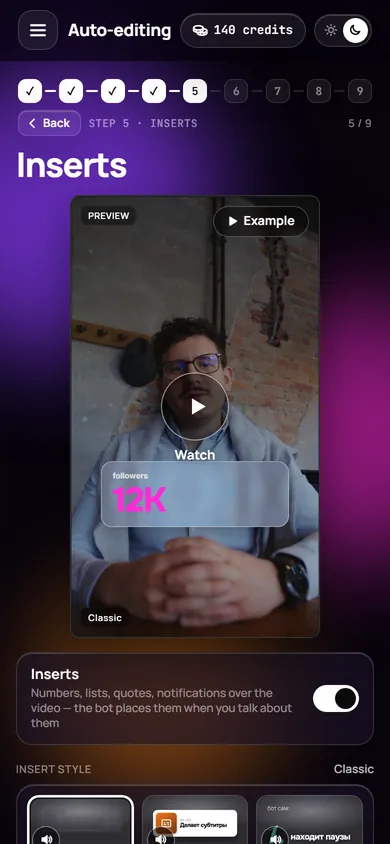
- Inserts and graphics that match what you say. Counters, lists, a "Follow" badge, your own screenshots and photos — right where you talk about them.
- Transitions, zooms and sounds. Smooth shot changes and emphasis on key words, so your video doesn't look like one long recording.
How it looks in the mini app
Instagram Reels requirements
| Parameter | What Reels needs | What the bot does |
|---|---|---|
| Format | Vertical 9:16 | The finished video is 9:16 |
| Length | You can upload up to 20 minutes, but only reels up to 3 minutes are recommended to new audiences; 15–60 seconds works best | Up to 3 minutes of source footage, shorter after cleanup |
| On-screen text | Keep it clear of the caption and buttons on the right | Captions and inserts keep a safe margin from the edges; captions can go at the bottom or top |
| Sound | Many people watch on mute | Word-by-word captions, voice louder than the music |
| Quality | Sharp video without heavy compression | Source quality is preserved |
How to edit a Reel in the bot
- Open the bot in Telegram and tap "Editing" — a mini app opens right inside Telegram, on your phone or computer.
- Upload your footage: a single take or several clips — the bot joins them into one Reel.
- Choose a hook, caption style, inserts, transitions, camera motion, effects and sound. The preview shows the result instantly.
- Tap "Edit" — a couple of minutes later the finished Reel arrives in the chat. Download it and post it to Instagram.
This works best for Reels where you talk to the camera: tips, breakdowns, reviews, stories, expert and sales content. For the Reel cover there's a separate tool — a cover from a frame.
Example: an expert's Reel before and after editing
A typical phone recording — a tip for followers, shot in a couple of attempts:
| Raw recording | Finished Reel | |
|---|---|---|
| Length | 1:12 | 0:41 |
| Pauses and "umms" | 23 seconds of silence | Cut |
| Retakes | Two failed attempts at a line | Only the good take stays |
| On-screen text | None | Hook + word-by-word captions |
| Inserts | None | A counter, a list and a "Follow" badge right where you talk about them |
| Your time | 30–40 minutes in an editor | A couple of minutes choosing settings |
These numbers are just an example: every recording has its own number of pauses and retakes.
Common Reels mistakes
- A long intro. "Hi everyone, my name is…" — and the viewer has already scrolled on. Get straight to the point: your first line becomes the on-screen hook.
- Text under the interface. Instagram's caption, username and buttons cover the bottom and right edge of the frame — don't put anything important there.
- No captions. Reels are often watched on mute: without text, it's unclear what the video is about.
- Another platform's logo. Instagram advises against posting videos with other apps' watermarks — they're less likely to be recommended.
- Horizontal video. It looks tiny in the Reels feed — convert it to 9:16.
- Music louder than your voice. The background should duck while you're talking — the bot does exactly that.
Editing one Reel costs 20 credits: cheaper than a freelancer, and ready in a couple of minutes instead of a day.
FAQ
Do I need an app to edit Reels?
No. Everything works inside Telegram: the bot opens a mini app right in the chat, nothing to install. Works on both phone and computer.
Is this an AI Reels editor?
Yes. AI transcribes your speech, cuts pauses and repeated takes, and places captions and inserts based on what you say. You choose the look yourself at each step.
Can I make a Reel from several videos?
Yes, upload several clips — the bot joins them into one video and trims everything unnecessary between phrases.
Will the video work for TikTok and Shorts?
Yes, all short-video platforms use the same 9:16 format. For platform specifics, see TikTok video editing and Shorts editing.
Can I try it for free?
Yes: your first edit is free (with a UNIQ watermark). Top up your balance to get videos without it.