AI Video Editing: Auto-Edit for Reels, TikTok and Shorts
You record a talking-head video, and the AI edits it for you: it removes pauses and failed takes, adds captions, a hook in the first seconds, inserts, transitions, camera motion and sound effects. You set everything up step by step with a live preview, and a finished vertical video for Reels, TikTok, Shorts or VK Clips lands in Telegram a couple of minutes later.
What AI video editing does
- Cleans up the recording. The AI transcribes your speech and cuts pauses, slips, "umms" and repeated takes — only the best version of each phrase stays. The silence between words disappears and the video feels tight.
- Joins clips together. Upload a single video or several takes in a row — the bot assembles them into one video in the right order.
- Adds captions. Words appear exactly when they are spoken, and key words are highlighted. Choose dynamic captions, like in popular Reels, or calm single-line captions at the bottom.
- Adds a hook. Your first line is shown large at the start so viewers don't scroll past the first seconds.
- Adds inserts that match what you say. Mention a number and a counter appears, list points and you get a list, ask people to follow and a "Follow" badge pops up. You can add your own photos and screenshots too — the bot places them where you talk about them.
- Transitions, camera, effects and sound. Smooth zooms and shot changes, transitions between scenes, color effects and short sounds on key moments. Add your own background music if you like — it ducks automatically while you speak.
What is AI video editing
"AI video editing" can mean three different things — and the difference matters when you pick a tool.
| What it is | How it works | Who it's for |
|---|---|---|
| AI video generation | A neural network creates a video from scratch based on text or a photo | Ad creatives and animation when there's nothing to film |
| Template-based auto-editing | Clips are cut to music using a ready-made template (as in TikTok and editing apps) | Videos without speech: travel, mood videos, compilations |
| Speech-based editing — that's UNIQ | AI recognizes what you say, cuts pauses and repeated takes, adds captions, a hook and inserts that match the meaning | Videos where you talk to the camera: experts, bloggers, businesses |
UNIQ doesn't make up the picture or replace you: the video still shows you and your own voice — AI just does the editing that would normally take an hour in an editor.
How it looks in the mini app
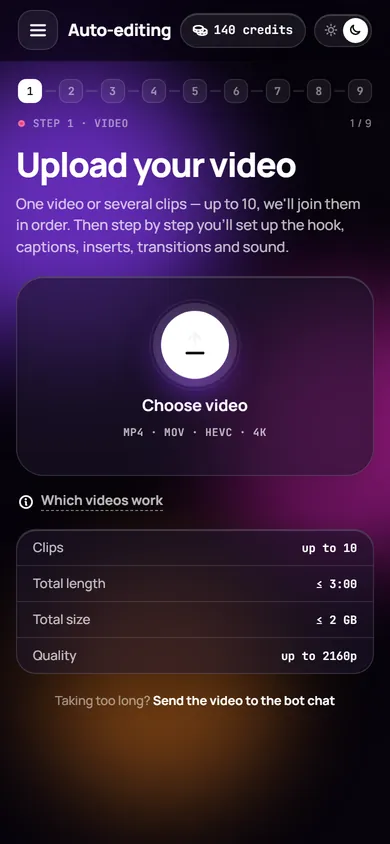
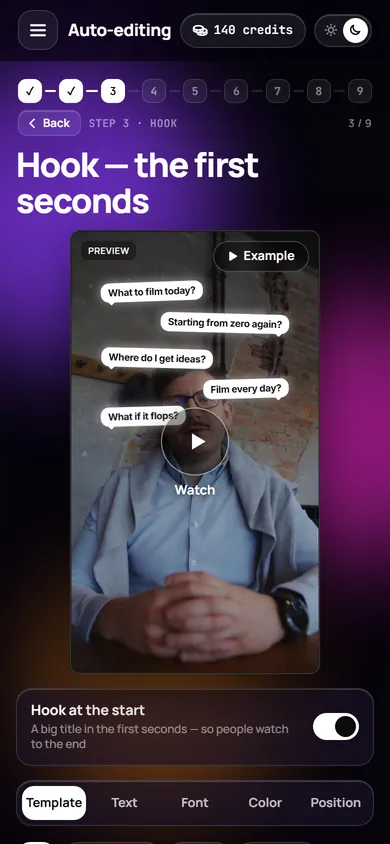
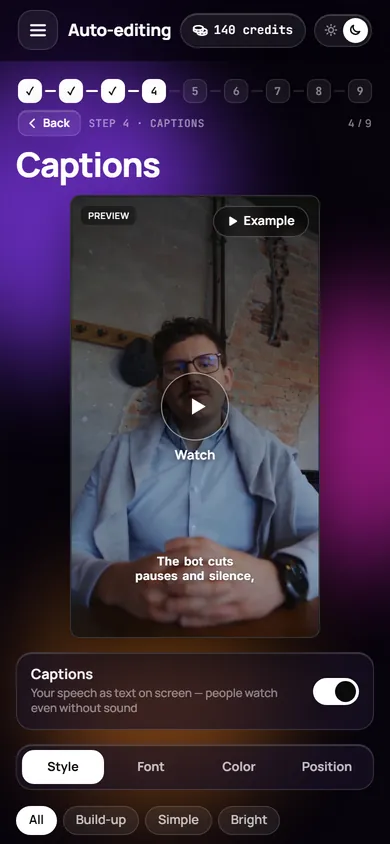
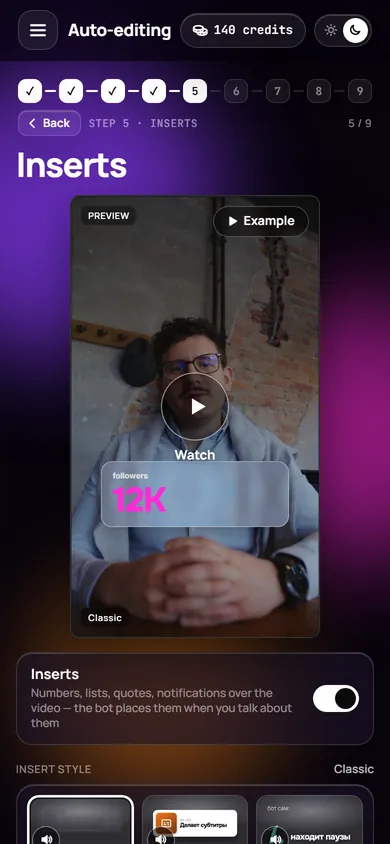
How to edit a video with AI
- Open the bot in Telegram and tap "Editing" — a mini app opens right inside Telegram, nothing to install.
- Upload your video: one file or several clips, up to 3 minutes of source footage. The quality stays exactly as you shot it.
- Go through the steps: cuts, hook, captions, inserts, transitions, camera, effects, sound. Each step shows a preview right away, and any step can be skipped.
- Tap "Edit". The finished video arrives in your chat with the bot, ready to post.
AI editing works best for videos where you talk to the camera: expert content, tips, reviews, stories, sales videos. The cleaner the audio, the more accurate the captions and cuts — so record with a lavalier mic in a quiet place.
Which platform it's for
The finished video is vertical 9:16; all clips together can be up to 3 minutes, and the video gets shorter once pauses are removed. That's the format of every short-video platform, but each one has its own quirks — see the dedicated pages: Reels editing, TikTok video editing, Shorts editing. If you only edit on your phone, see editing video on your phone.
Auto-editing vs. editing by hand
| By hand in an editor | AI editing in the bot | |
|---|---|---|
| Cutting pauses and bad takes | Trimming the timeline, 10–30 minutes | Automatic |
| Captions | Transcribe, proofread, sync to timing | Word by word, styled right away |
| Hook, inserts, sounds | Find and place them yourself | Based on what you say |
| Where it works | Desktop software or an app | In Telegram, on phone and computer |
| Time per video | Half an hour or more | A couple of minutes |
Pricing
Editing one video costs 20 credits (a single edit is 149 ₽, in packs from 80 ₽ per video). Packs are counted in edits: "5 edits", "10 edits" and so on — exactly as many videos as the name says. If an edit fails because of an error, your credits are refunded automatically.
FAQ
Is this an AI video editor?
Yes. AI transcribes the speech, finds pauses and repeated takes, and picks the spots for inserts and emphasis. The look follows your settings at each step, so videos come out consistent and predictable.
What videos work for auto-editing?
Vertical or horizontal videos where you talk to the camera, up to 3 minutes of source footage — as one file or several clips. The result is a vertical 9:16 video for Reels, TikTok, Shorts and VK Clips.
Is this a Telegram bot for video editing?
Yes. The bot opens a mini app right in the chat: you upload a video, set up the steps and get the finished video back in the same chat. No desktop software or phone apps needed.
Does the bot cut pauses out of a video?
Yes, that's the first step of auto-editing: the bot removes pauses, silence and slips between phrases, and keeps the best of any repeated takes.
How long does it take?
Usually a couple of minutes. The bot shows the progress percentage and an estimated time, and the video arrives in the chat.
Can I try it for free?
Yes: your first edit is free (with a UNIQ watermark). Top up your balance to get videos without it.
How is auto-editing different from uniquifying?
Auto-editing turns a raw recording into a finished video with captions and graphics. Uniquifying takes a finished video and makes a new version of it for reposting.